
Introduction
The same Cassiopeia template is used in Joomla 4, 5 and 6.
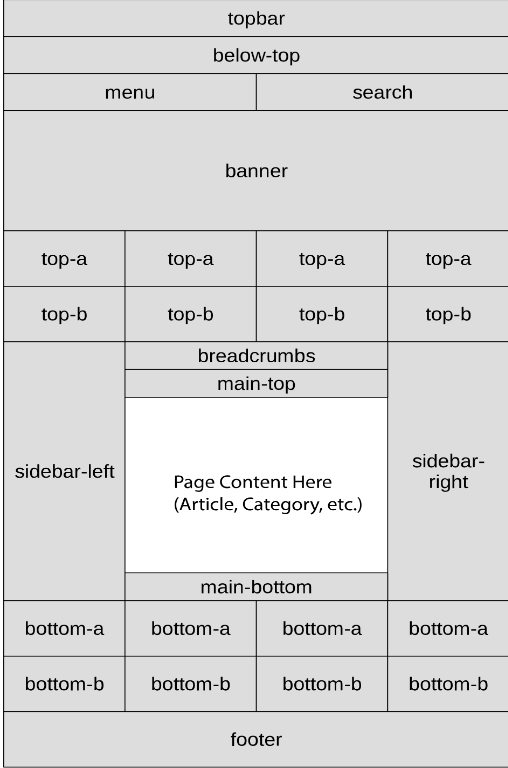
The Cassiopeia positions are shown opposite. Please note that if nothing is allocated to a position then in effect that 'position' does not appear. That is it takes no space on the screen.
Generally the various positions are occupied with Modules. The only exception is the 'main area' which is where articles, jD categories and Downloads, and similar appear.
Note the location of position 'menu'.
This enables a horizontal menu set of menu items. Actually in terms of the template positions, a menu is just a specialised Module.
Menus are not confined to appearing in the menu position. Most often they are placed in side-left or sidebar-right. In practice in my web-sites the usual position for 'Vertcal' menus is either or both of the side-bars.
Changing Main Menu Position
To implement this it is necessary to change the main menu position.
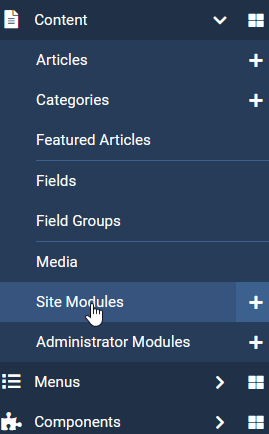
In Content from the admin menu select 'Site Modules' as indicated opposite.
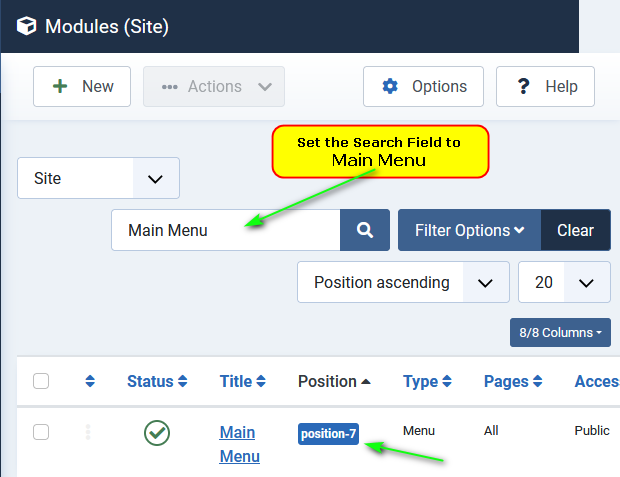
Set the Search Field to Main Menu.
This will show a view such as the one opposite.
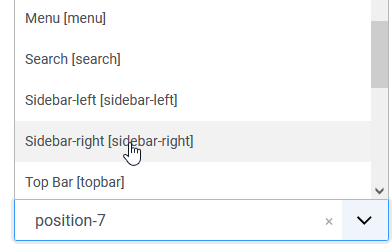
Note that the Position is 'position 7'.
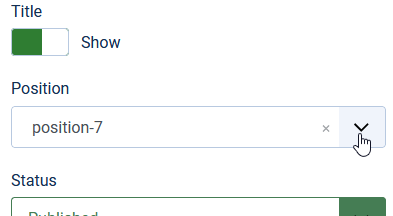
Use the Position pulldown as shown in the first image on the right.
Then select your target position for the Menu Module, which in this example is Sidebar-right.
The Main Menu will now appear in the 'sidebar-right' position.
ColinM December 2022, modified July 2023, April 2025, January 2026 -AA