
Send Private Message from Forum
This is quite simple when you know how!! Just find an entry in the Forum from the person to whom you wish to send a Private Message, commonly known as a PM.
So click on the name of the person to whom you wish to send a PM
So click on the name of the person to whom you wish to send a PM
This brings up that persons Profile as shown below
 Next click on Actions as indicated.
This will open up the message box as shown opposite. When you have completed your message then click on the
 button at the bottom of the form.
Note also that you are also able to send attachments whose type (extension) matches those listed.

Read Private Message
After logging in, at the top left next to your name you will see the My Messages button as indicated opposite when I am in my Forum account
When the  is shown then clicking on the
  will only show those messages you have already seen. This alows you to go back to check on something. Obviously clicking on the
  will show those items you have sent
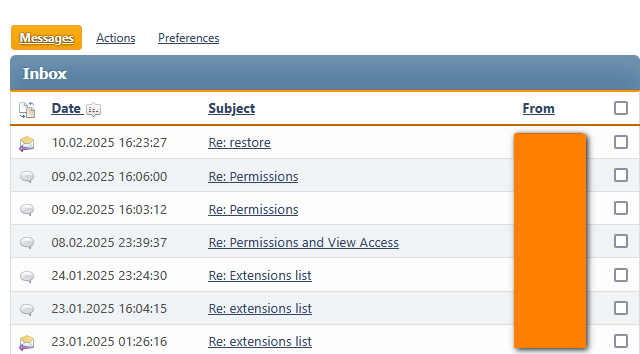
is shown then clicking on the will only show those messages you have already seen. This alows you to go back to check on something. Obviously clicking on the will show those items you have sentBoth the Inbox and Outbox give listings like that shown opposite.
In this example the From names have been 'covered up'.
Created February 2025, modified: July 2026 -AA



