
Introduction
Using the Joomla! debugging system.
Sometimes a PHP or SQL error may be stopping jDownloads from working correctly on your site, an error message may or may not be shown. There are many possible causes including 'interaction' between extensions. One way that sometimes helps is to temporally turn on Joomla! debugging
Please note that the Joomla Debug scheme in Joomla 4 and 5 is different from the debug in Joomla 3.
This article relates to debugging in Joomla 4, 5 and 6.
Please note that the Joomla Debug scheme in Joomla 4 and 5 is different from the debug in Joomla 3.
This article relates to debugging in Joomla 4, 5 and 6.
Turn on Joomla Debugging
The steps in turning Joomla debugging are:
1. select and in
  click on
  then on tab
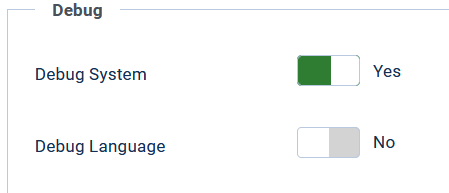
  set option 'Debug System' to Yes as illustrated opposite;
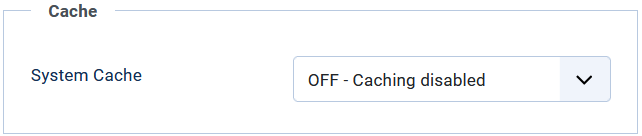
2. Also in the 'System Cache' option use the pulldown and set caching OFF;
3. If it is a Language problem then also set 'Debug Language' to Yes.
1. select
and in click on then on tab set option 'Debug System' to Yes as illustrated opposite;2. Also in the 'System Cache' option use the pulldown and set caching OFF;
3. If it is a Language problem then also set 'Debug Language' to Yes.
Set Error Reporting Level
The next step is to set the error reporting level so click on the
 tab.
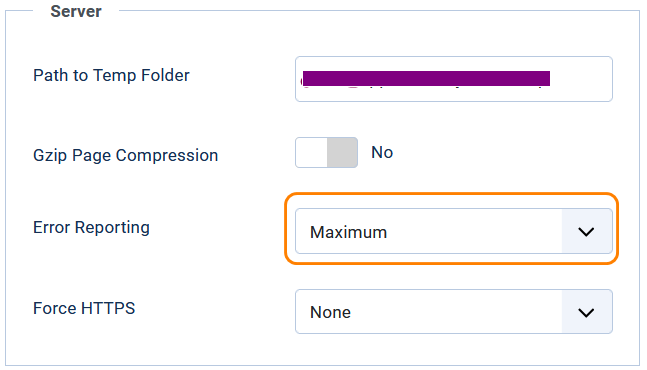
tab.1. Set Gzip Compression to No
2. Select Error Reporting to Maximum
Note the Error Reporting level of 'Development' was available in Joomla! 3 but is no longer availble in Jooma 4, 5 and 6.
Run in Front End Again
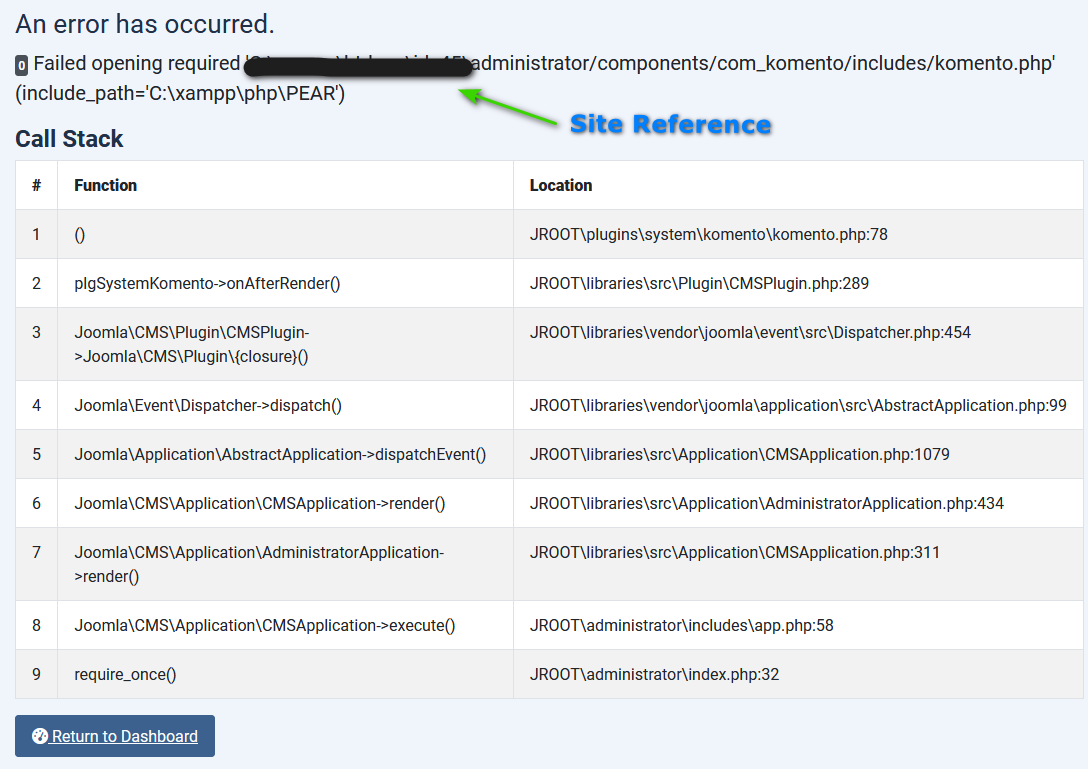
Now try the front end again. This may show an error or warning message as illustrated below.
Copy the text of the error page as part of a post it in the support forum to seek help.
If you do not see any error messages,it may be that your hosting service has deactivated error reporting in your server settings.
You should contact your hosting service and request that they turn it on.
Copy the text of the error page as part of a post it in the support forum to seek help.
If you do not see any error messages,it may be that your hosting service has deactivated error reporting in your server settings.
You should contact your hosting service and request that they turn it on.
Example
The image on the right is an example of an error message. Basically it is a dump of the call sequence'
In this example the error was created deliberately by loading an incorrect version of the jDownloads Komento plugin!!.
Remove or disguise the site reference as indicated opposite
Then copy the entire report as text and report in the Forums either as a post in Bugs or in a Private Message (PM). Sending an image version makes tracing more difficult!
.
Restore Settings to default
When you have finished looking for the 'fault' remember to turn off the debug settings!
When you have posted in the forum please remember to deactivate ALL the debugging setup. Leaving debugging on will slow your site down and probably confuse your users!
When you have posted in the forum please remember to deactivate ALL the debugging setup. Leaving debugging on will slow your site down and probably confuse your users!
ColinM October 2019 modified June 2023, January 2025, May 2025, July 2026 -AA



