
Introduction
This tab provides the setup for audio and video previews. In order to see a a preview then the placeholder {preview _player} must be in the active Downloads and Download Details layout. All of the standard v3.9 layouts except "Files link only" and "Files Layout Single Line" have placeholder {preview _player}.
There is a choice of using either HTML5 or Flow Player to show the audio or video previews. Both cannot be active at the same time!
There are three parts to the media setup. The first section is setting up the HTML5 media options and the second section deals with Flow Player options. The third section is the ID3 File information.
There is a choice of using either HTML5 or Flow Player to show the audio or video previews. Both cannot be active at the same time!
There are three parts to the media setup. The first section is setting up the HTML5 media options and the second section deals with Flow Player options. The third section is the ID3 File information.
General
The {preview_player} will use the designated 'preview file' if it is available. If no preview file has been allocated to the Download then the assigned downloadable media file will be shown.
Please note that most browsers have the capability of downloading the audio or video file selected for playing. jDownloads cannot control that situation. So if your media files require payment in order to download them, then it is most important that each Download has a preview version.
Also ensure that opion 'Protect your Download-directory?' in Options - Security tab is set to No.
Please note that most browsers have the capability of downloading the audio or video file selected for playing. jDownloads cannot control that situation. So if your media files require payment in order to download them, then it is most important that each Download has a preview version.
Also ensure that opion 'Protect your Download-directory?' in Options - Security tab is set to No.
HTML5 supported file types
Video: mp4, webm, ogv and ogg;
Audio: mp3, wav and oga.
Audio: mp3, wav and oga.
Flowplayer supported file types
Video: mp4 and flv;
Audio: mp3.
Audio: mp3.
Accessing Media Player Options
On the Joomla Control panel click on  then click on
  and then on
  . At the top right now click on the
  button. First select the
  tab as it is essential to ensure that option 'Protect your Download Directory' is set to No. Next select the
  tab.
tab.
then click on and then on . At the top right now click on the button. First select the tab as it is essential to ensure that option 'Protect your Download Directory' is set to No. Next select the tab.HTML5 setup
The default setting for option 'Use HTML5 Elements' is Yes.
If this option is set to No then the other four options are no longer visible. If using Flowplayer then you must set the option to No.
With Option 'View Videos in Details Layout Only' set to No then videos will be available in both Downloads and Download Detail layouts.
Also of course placeholder {preview _player} must be in the active layout.
The last option sets the width of the Audio player window.
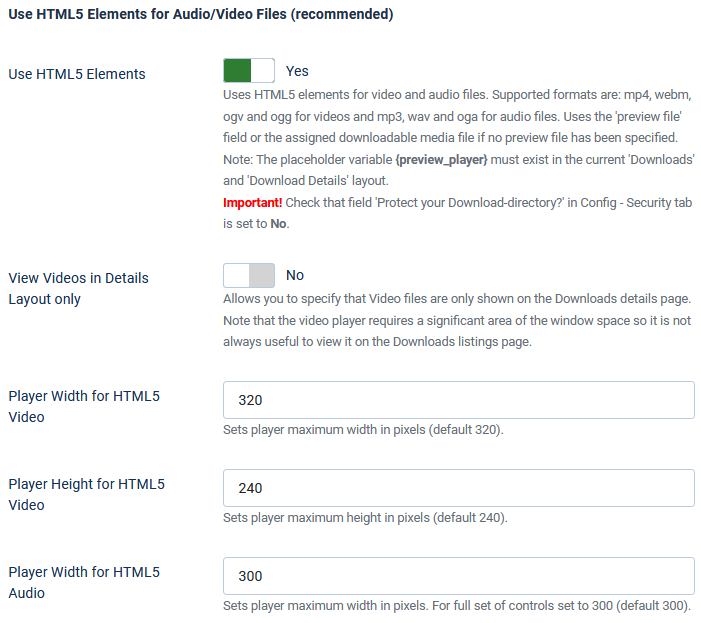
The remaining three option set the video width and height, and the audio width.
A typical audio with play, and volume controls is like the image opposite.
A typical audio with play, and volume controls is like the image opposite.
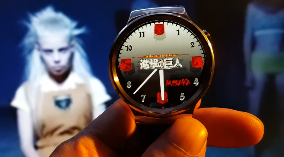
A video clip, when not initiated would look something like the first picture opposite.
However when the video is running the control bar is hidden unless the mouse hovers over the image.
However when the video is running the control bar is hidden unless the mouse hovers over the image.
Flowplayer Setup
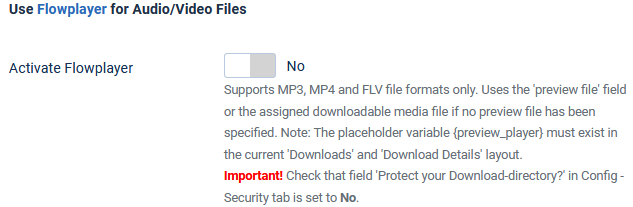
The default setting for Flowplayer option 'Activate Flowplayer' is No.
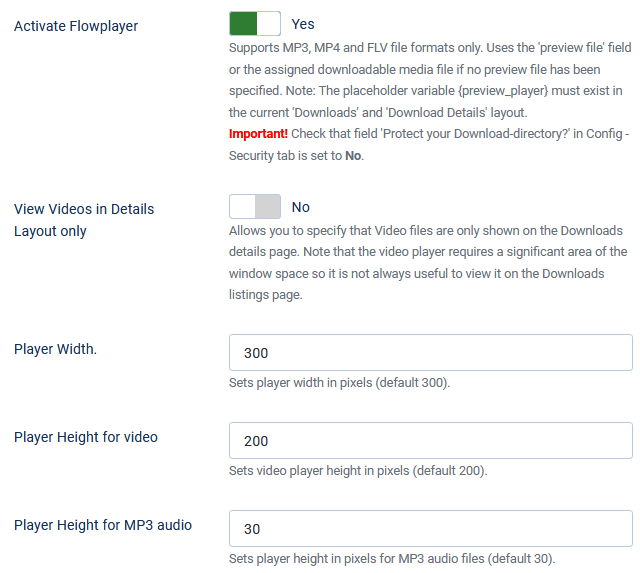
To use Flowplayer set to Yes. And also set option 'Use HTML5 Elements' to No.

To use Flowplayer set to Yes. And also set option 'Use HTML5 Elements' to No.
The options to setup Flowplayer will then appear.
The Options are the same as those used for the HTML5 viewer.
In most cases the only reason to use Flowplayer are if your videos are in flv format.
ID3 information
The default setting for option 'View MP3 File Information' is No. 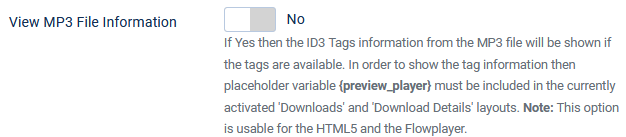
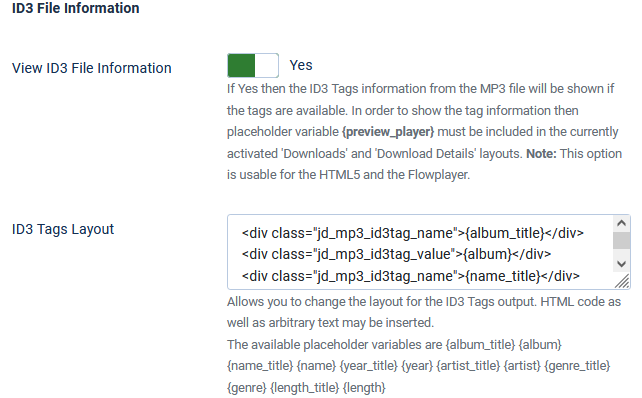
When set to Yes a futher option 'ID3 Tags Layout' becomes available.
This may be editted to change the layout for the ID3 Tags output.
The available placeholder variables are {album_title} {album} {name_title} {name} {year_title} {year} {artist_title} {artist} {genre_title} {genre} {length_title} {length}.
Also HTML code and arbitrary text may be inserted.
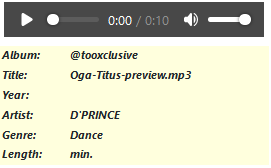
In the Front End the view is as shown opposite.
ColinM June 2020 modified July 2023, February 2026


