
Introduction
This option is all about protecting your jDownloads items. You should also check your website contol panel as this often has extensive security checking capabilities.
In the panel, access the Security options by clicking on
  then on
  . Next click on
  and then, at top right, click on
  . Next click on the
  tab, which is the tenth item from the left.
In the
panel, access the Security options by clicking on then on . Next click on and then, at top right, click on . Next click on the tab, which is the tenth item from the left.Protect Directory
The Default setting for option 'Protect your Download Directory' is No.
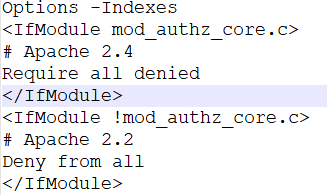
If it is set to Yes, a special jD htaccess.txt file is copied to the Downloads root-directory, normally jdownloads, and renamed as .htaccess. This enables protection so that all external file and subdirectory accesses are blocked.
The contents of the file are shown opposite.
If susequently you reset 'Protect your Download Directory' to No then the .htaccess file is removed.

Hot Linking
Hot Linking is where someone links to an image, a video, an audio file or similar on your site so that it uses your bandwidth. It is sometimes used as a cyber attack to exhaust your bandwidth by embedding a direct link.
The default setting for option 'Activate Hotlinking Protection' is Yes.
The option 'Websites allowed to Hotlink' allows you to add permited sites.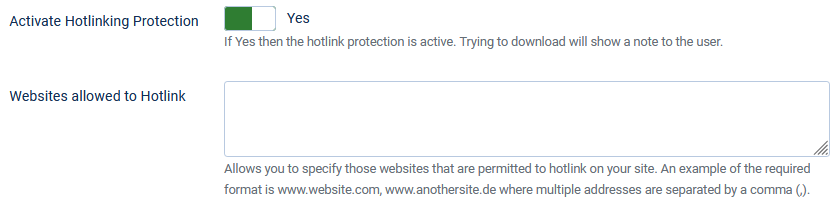
The option 'Websites allowed to Hotlink' allows you to add permited sites.
An example of the required format is www.website.com, www.anothersite.de where multiple addresses are just separated by a comma (,).
Referrer Blocking
When option 'Block when no Referrer' is set to Yes then a check is made before downloading to see if the requesting website has given its address.
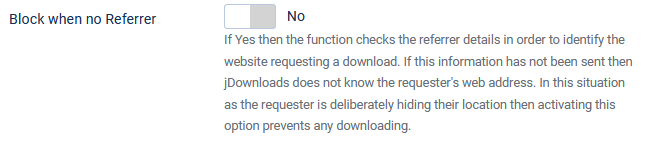
If this information has not been sent then jDownloads does not know the requester's web address.
Consequently as the requester is deliberately hiding their location then activating this option prevents any downloading.
Consequently as the requester is deliberately hiding their location then activating this option prevents any downloading.
e-mail Concealing
If option 'E-Mail Address concealing' is set to Yes, the e-mail addresses will be cloaked by JavaScript in order to thwart Spambots.

Remember to enable JavaScript in your browser.
IP Blocking
Another form of a 'denial of service' attack is to continuously make requests upon your site.
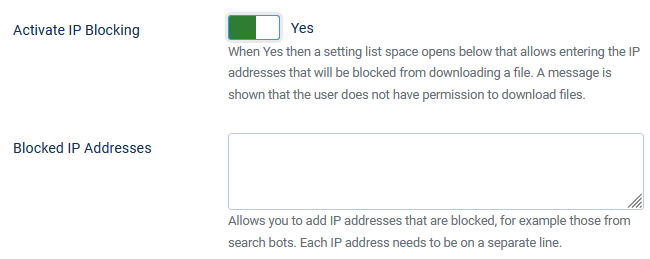
The default setting for 'Activate IP Blocking' is No.
If you set it to Yes then an option panel 'Blocked IP Addresses' opens.
The form of an IPV4 IP address is four groups of digits in the range 0 to 255 where each group is separated by a full stop character.
For example 14.208.0.40 which is also known as 'dotted decimal format'.
The form of an IPV4 IP address is four groups of digits in the range 0 to 255 where each group is separated by a full stop character. For example 14.208.0.40 which is also known as 'dotted decimal format'.

The default setting for 'Activate IP Blocking' is No.
If you set it to Yes then an option panel 'Blocked IP Addresses' opens.
The form of an IPV4 IP address is four groups of digits in the range 0 to 255 where each group is separated by a full stop character.
For example 14.208.0.40 which is also known as 'dotted decimal format'.
The form of an IPV4 IP address is four groups of digits in the range 0 to 255 where each group is separated by a full stop character. For example 14.208.0.40 which is also known as 'dotted decimal format'.
If you need to restrict more than one address then enter each IP address on a separate line.
ColinM June 2020 Modified July 2023, October 2024, May 2025, July 2026



