Introduction
If Admin Tools is installed then jDownloads does not run properly, specifically the Check Download Area returns a 403 error. The solution, which was found by User 'nzrunner', is to add a specific exception in the Server Protection section. To access in the  click on
  , then click on
  . If this the first time then click on
  . Now scroll down until you get to the
  section.
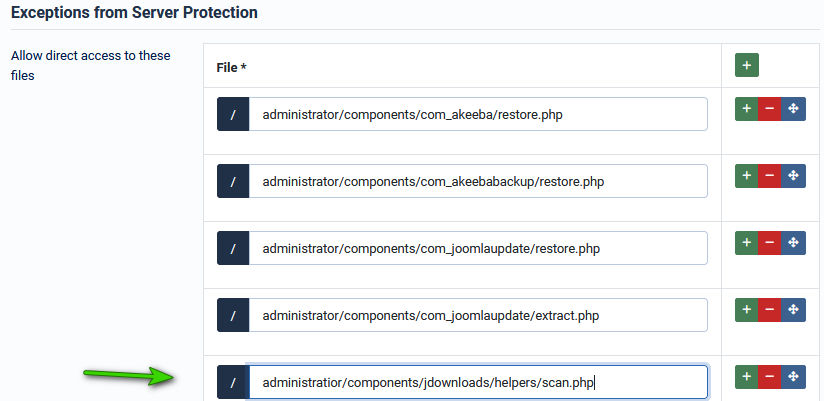
click on , then click on . If this the first time then click on . Now scroll down until you get to the section. Continue scrolling down a little further until you get to the  sub-section, which looks like the image opposite.
Now click on the Button.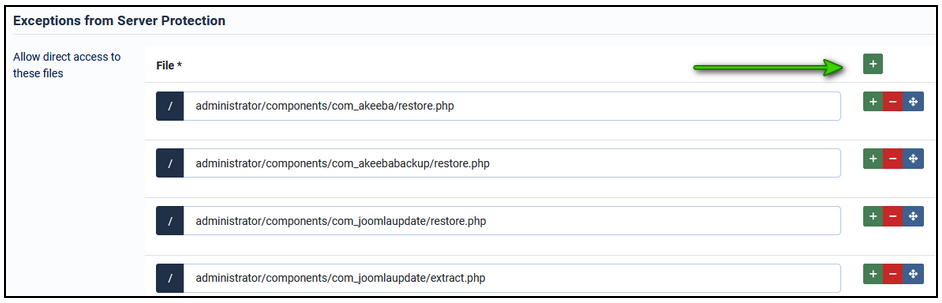
sub-section, which looks like the image opposite.Now click on the
Button.This adds a blank section at the bottom as shown opposite.
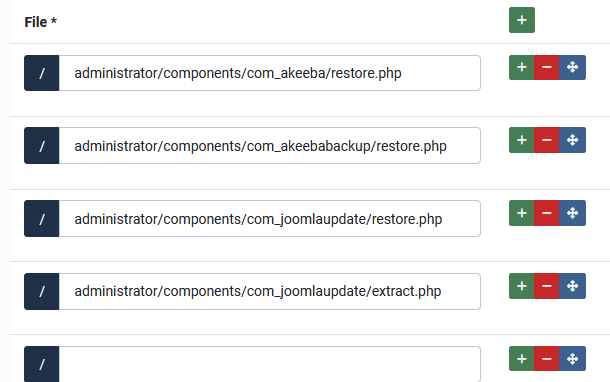
Add the line:
administrator/components/com_jdownloads/helpers/scan.php
to give the view as shown opposite.
jDownloads will now scan properly.
NB you should assess any and all risks before placing an exception in a security product. No code changes or similar have been made to Admin Tools. The solution uses official Admin Tools methods. jDownloads does not warrant this change to Admin Tools.
Created July 2025, updated February 2026, July 2026-AA
