Introduction
jDownloads supports emails in four areas as shown below. They are for actions carried out in the Front End.
- When a Download is downloaded;
- When new Downloads are created;
- Reporting a Download;
- Inquiry ('customers') email form.
For any of the emails to work it is essential to configure the Joomla! Mail setting. On the Joomla  panel click on
  Then in the
  section click on
  . Now scroll down to theMail section.
panel click on Then in the section click on . Now scroll down to theMail section.Joomla! email setup
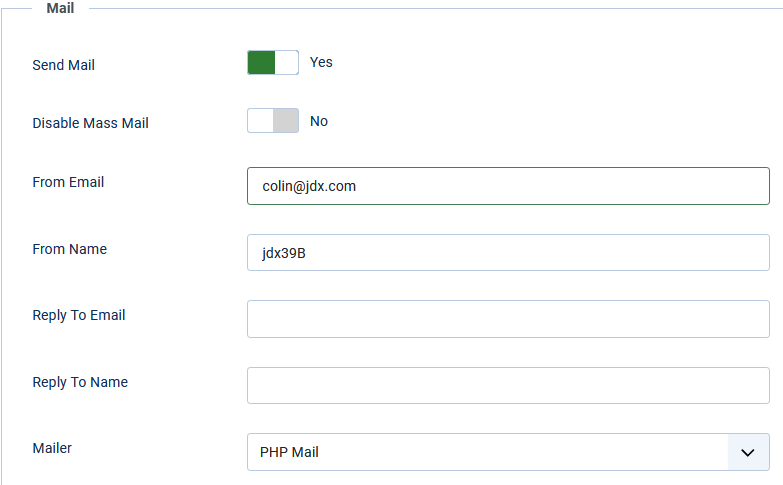
The Joomla! email setup is quite simple.
Basically just fill in the form.
In the example settings opposite the actual email addresses used are of course fictitious!
If you click on the  button, which is just below the bottom of the form, then you will see a success message such as below:
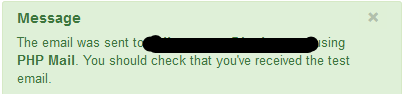 The text of the email will be something like:
"This is a test mail sent using "PHP Mail". Your email settings are correct!"
button, which is just below the bottom of the form, then you will see a success message such as below: The text of the email will be something like:"This is a test mail sent using "PHP Mail". Your email settings are correct!"
If the email settings are not correct you will get a messages like  or similar.
It maybe you have given an invalid email address but it may a more fundamental problem in which case you should seek help from the Joomla! Forum.
If you are using a test site based upon XAMPP then see Configure XAMPP emails (opens in new page/tab) for information on setting up the email server.
or similar.It maybe you have given an invalid email address but it may a more fundamental problem in which case you should seek help from the Joomla! Forum.
If you are using a test site based upon XAMPP then see Configure XAMPP emails (opens in new page/tab) for information on setting up the email server.
General
There are four different email types that may be set up:
- for each time a Download occurs;
- for each time an a new Download is created;
- when Reporting a Download;
- response to Customer Inquiry form;
Each type has the ability to set the Subject, specify the Email Address and to define the message Layout.
The general structure of all email types is the same so most details are given in the Downloads notification email section. It is suggested that if you intend to use any of the emails then you first setup the 'Downloads' one and ensure that is operational so that checks the basic functionality. It is simple to disable an email type.
The Download and Upload emails may be activated and have a choice of using HTML in the message part so that they are available to all users.
Note that 'Reporting a Download' and the 'Inquiry Form' emails require extra settings as specified in the User Groups - Settings tab for those user groups that will make use of these type of email before they will function.
The general structure of all email types is the same so most details are given in the Downloads notification email section. It is suggested that if you intend to use any of the emails then you first setup the 'Downloads' one and ensure that is operational so that checks the basic functionality. It is simple to disable an email type.
The Download and Upload emails may be activated and have a choice of using HTML in the message part so that they are available to all users.
Note that 'Reporting a Download' and the 'Inquiry Form' emails require extra settings as specified in the User Groups - Settings tab for those user groups that will make use of these type of email before they will function.
email Configuration for Downloads
When the  tab in the jD
  is opened, the email configuration for notification of a Download is like the image opposite.
Set 'Activate E-Mail' to Yes to reveal the options as shown below.
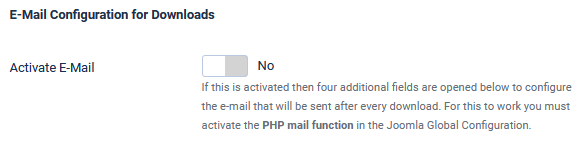
tab in the jD is opened, the email configuration for notification of a Download is like the image opposite.Set 'Activate E-Mail' to Yes to reveal the options as shown below.
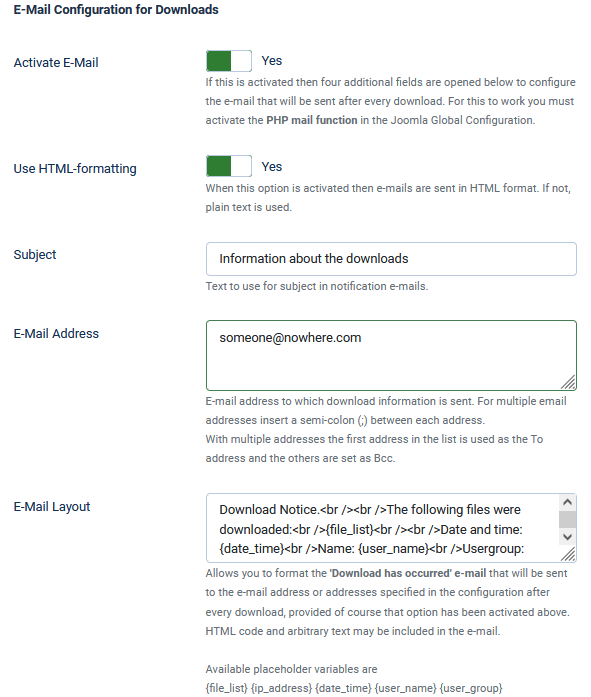
The form as shown opposite allows setting the relevant options.
Obviously the 'Activate E-Mail' must be set to Yes, and usually the option 'Use HTML-formatting' is also set to Yes.
The Subject option is whatever you wish to use as the subject of the E-Mail.
Enter the email addresses of the people who are to be notified. If you have a large number of people then it is better to setup an email list in your website Cpanel or equivalent.
Option 'E-Mail Layout' for Downloads shows the structure and content of the email body.
Note the use of the special place holders such as {date_time}.
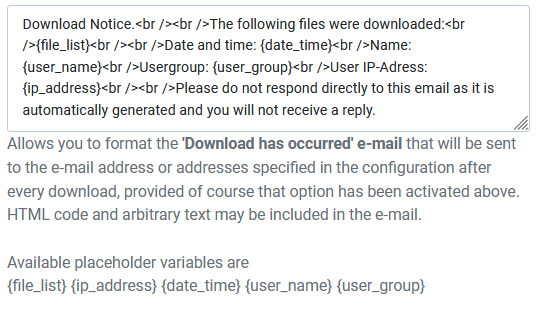
For multilingual sites the entire message block, that is the E-Mail Layout section, may be enclosed in language placeholders such as {en-GB}...{/en-GB} for English and then a translated version in say German by using {de-DE}...{/de-DE}.
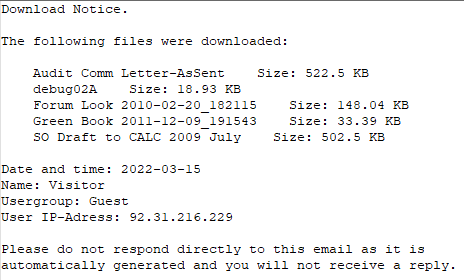
An example email sent is like the one opposite.
In this example it was when using a 'checkbox' layout where multiple files are sent in a single zip file. The email identifies the details of the idividual files.
email Configuration for Uploads (new Downloads)
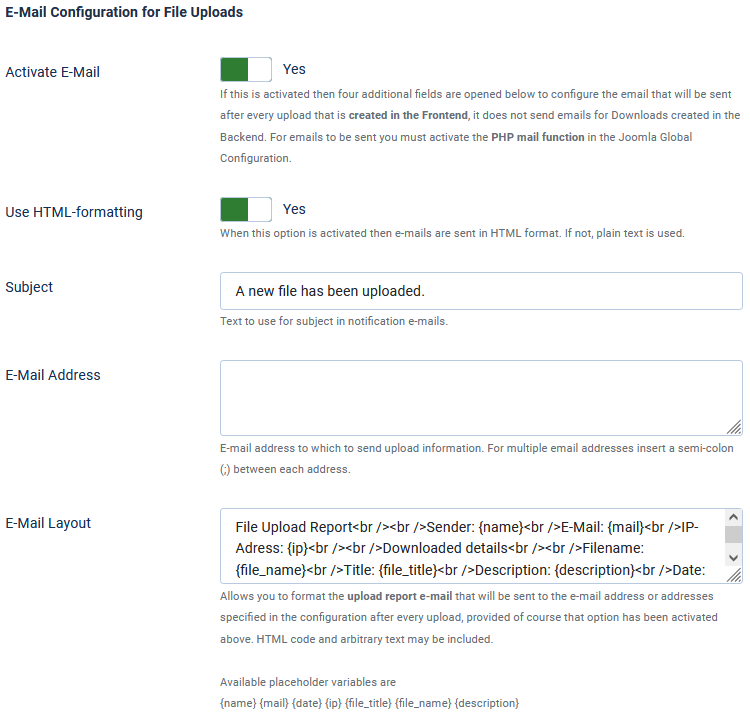
The setup for emails when a new file is uploaded to create a new Download in the Front End is very similar to the Downloads Configuration.
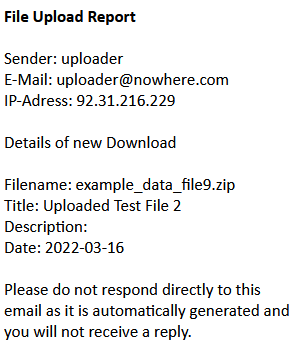
An example upload report is shown opposite.
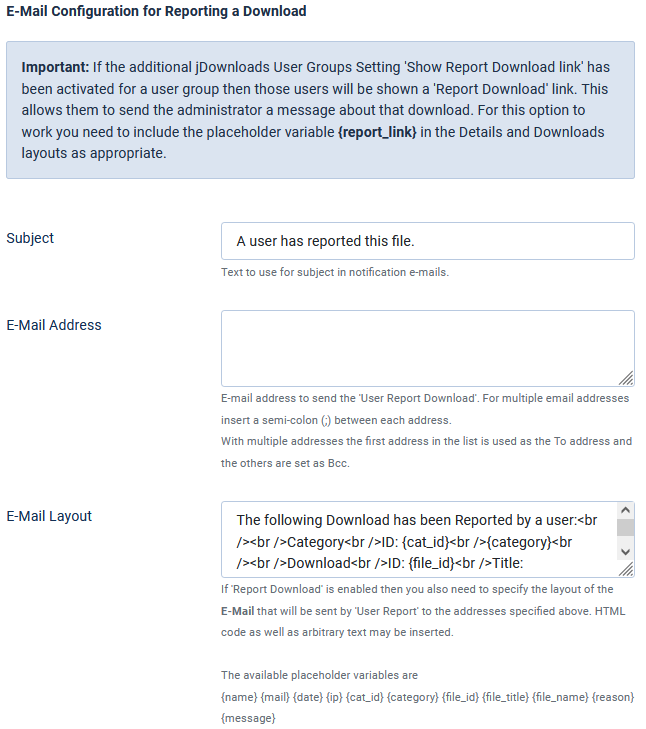
email Configuration for Reporting a Download
To activate this option you need to ensure that the  setting
  tab - option "Show 'Report Download' link" is set to Yes for each user group that is allowed to report a Download.

setting tab - option "Show 'Report Download' link" is set to Yes for each user group that is allowed to report a Download.Note The Inquiry Form, as discussed above, also needs setting in the so it might be more convenient to do both at the same time - although it will probably be a different usergroup!!
so it might be more convenient to do both at the same time - although it will probably be a different usergroup!!If you intend to use this email type it is advised that that this is set for one or more "trusted" user groups. Setting it to used by the Public or Guest user groups would most unwise!
The ability to show the 'Report Link' is included in Download Details layouts. Should you need to include elsewhere then add the placeholder in your layout.
Typically this is a line such as
The ability to show the 'Report Link' is included in Download Details layouts. Should you need to include elsewhere then add the placeholder
in your layout. Typically this is a line such as
The setup is of the actual email is very similar to the other cases.
email Configuration for Inquiry Form
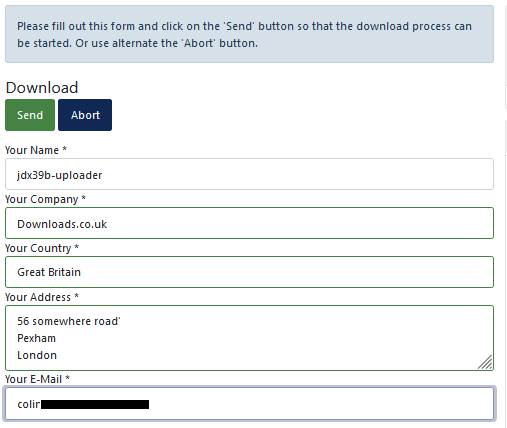
The Inquiry form enables the gathering of information from a user before they are able to start each download.
As the previous option you need to activate this option from  setting tab by selecting option "View 'Inquiry' Form". Set to Yes for each user group that will be required to complete the Inquiry Form.
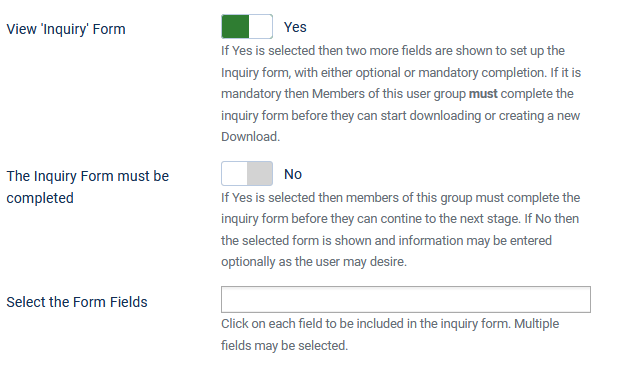
setting tab by selecting option "View 'Inquiry' Form". Set to Yes for each user group that will be required to complete the Inquiry Form.When the option "View 'Inquiry' Form" is set to Yes then two more options are showh
The form will be 'required' to be completed if option "The Inquiry Form must be completed" is set to Yes.
You can define which fields will be in the form by clicking on the pull down box opposite the 'Select the Form Fields'

The form will be 'required' to be completed if option "The Inquiry Form must be completed" is set to Yes.
You can define which fields will be in the form by clicking on the pull down box opposite the 'Select the Form Fields'
Use the pulldown in "Select the Form Fields" and click on each item to include in the form shown to the user.
The view opposite shows an example when all form fields are selected.

The view opposite shows an example when all form fields are selected.
The image opposite shows the form presented for the user to complete.
Note that both the user name and email are filled from the user's registration data when the downloader is logged in.
ColinM January 2021 updated March 2022, July 2023, May 2025 -AA



